Salesforce Reports and Dashboards for Sales Teams
One of the easiest mistakes to make when implementing Salesforce is to start building reports and dashboards before deciding what information the business actually needs.
Salesforce can report on an enormous amount of information. You can create reports around Leads, Accounts, Opportunities, Activities, forecasts, revenue and just about every other piece of data captured in the system.
But just because you can report on something doesn't mean you should.
The goal isn't to build as many Salesforce reports and dashboards as possible. The goal is to give the right people the right information so they can make better decisions.
Good Salesforce reporting starts with the decisions—not the data.
Salesforce Is Replacing Something
Almost every Salesforce implementation replaces something.
Sometimes it's another sophisticated CRM such as Siebel. Sometimes it's an older system such as ACT or Sugar. In other cases, Salesforce is replacing something much simpler: Outlook, Excel, spreadsheets or even a collection of paper files.
And yes, we've seen Salesforce replace a stack of index cards.
Whatever the previous system looks like, the organization already has some way of tracking and reporting information today.
That means the Salesforce reporting process shouldn't begin with, “What reports can Salesforce create?”
It should begin with, “What information are we already using to run the business, and what information do we wish we had?”
That distinction matters because a Salesforce implementation is an opportunity to improve reporting—not simply recreate whatever existed before.
Start With the Most Important Decisions
When determining what Salesforce reports and dashboards you need, start at the top of the organization.
For a small or midsized company, that may be the CEO or owner. In a larger organization, it may be the VP of Sales or another senior sales leader.
Ask a simple question:
What is the one critical report you need to do your job?
Then dig deeper.
What information do you actually need from that report? What are you trying to measure? What decisions do you make based on the information? What actions do you take when something changes?
Those questions are much more valuable than simply asking someone what fields they want to see on a Salesforce dashboard.
For example, a sales leader may say they need a pipeline report. But what do they actually need that report to tell them?
Do they want to know whether there is enough pipeline to hit the revenue target? Which opportunities are likely to close? Where deals are getting stuck? Which salespeople need coaching? Where pipeline is growing or shrinking?
The report is simply the mechanism.
The decision is the real requirement.
What Information Does the Business Need to See?
Once you understand the decisions leadership needs to make, start identifying the underlying information.
Most sales organizations need some variation of the same fundamental categories:
- Prospects — Leads in Salesforce
- Customers — Accounts
- Sales activities — Tasks and other activities
- Sales pipeline — Opportunities
- Forecasts — Expected future revenue
- Booked revenue — Closed Opportunities
The terminology may change from company to company, but the underlying business questions are remarkably consistent.
Who are our prospects?
Who are our customers?
What are our salespeople doing?
What opportunities are we working on?
What is likely to close?
And ultimately, what revenue are we going to generate?
Salesforce reporting should make those questions easier to answer.
Ask Why the Data Matters
Once you've identified the information people want to see, don't stop there.
Ask why they want it.
A useful Salesforce reporting discovery process should include questions such as:
How often do you look at this information? Why do you look at it? What are you trying to measure or control? Which decisions do you make based on the data? What actions do you take when the data changes?
You also want to understand how the information connects to accountability.
How does this data affect the things people are measured on? What incentives are tied to the results? What behaviors are you trying to encourage?
And perhaps most importantly, ask what happens when someone doesn't trust the information.
If you question the data, how would you validate it? What would you compare it to?
That last question can uncover significant problems with an organization's Salesforce implementation.
If managers don't trust the reports, they will create their own spreadsheets. Salespeople will maintain their own tracking systems. Finance will have its own numbers. Marketing will have another version of the truth.
At that point, the company doesn't have a reporting problem.
It has a data and process problem.
Don't Build a Dashboard Just Because You Can
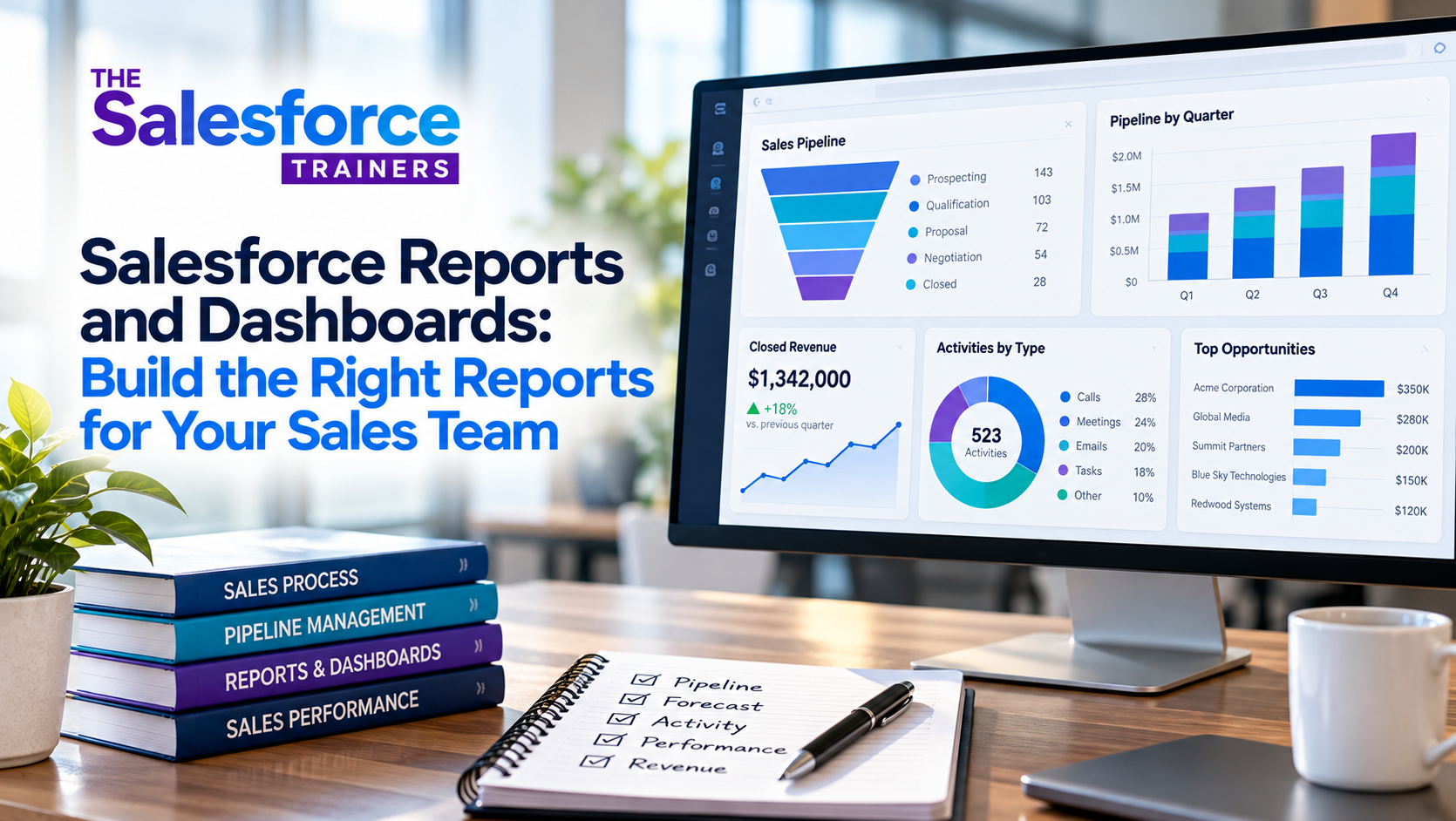
Salesforce makes it relatively easy to create dashboards containing charts, graphs, metrics and other visualizations.
That doesn't mean every department needs a dashboard filled with information.
I've seen Salesforce dashboards that look impressive but aren't particularly useful. They contain dozens of metrics, multiple charts and a tremendous amount of information—but nobody knows what they're supposed to do with it.
A good dashboard should answer important questions quickly.
For a sales manager, that might mean:
- Where does my team's pipeline stand?
- Which opportunities need attention?
- Where are deals getting stuck?
- Which salespeople need coaching?
- Are we generating enough new pipeline?
- Are we on track to hit our revenue target?
The dashboard should help the manager see what requires attention and decide what to do next.
If a chart doesn't lead to a useful question, decision or action, it may not belong on the dashboard.
Build Reporting for Different Levels of the Organization
After completing the initial discovery with the head of sales or senior executive, repeat the process with other people who have a vested interest in Salesforce data.
Depending on the organization, that may include:
- Head of Marketing
- Client Service leadership
- CFO or Finance
- CEO
- Sales Operations
- Sales managers
- Individual salespeople
Each group will look at Salesforce differently.
Marketing may care about prospects and lead generation.
Sales leadership may care about pipeline, forecasting and revenue.
Client Service may care about customer information and account activity.
Finance may care about bookings and revenue.
Sales managers may need information that helps them coach individual salespeople and manage opportunities.
And salespeople need information that helps them manage their own business.
There shouldn't be one Salesforce dashboard that tries to serve everyone.
The right reporting structure gives each person the information they need to perform their role.
Don't Forget the People Actually Using Salesforce Every Day
There's another group that is easy to overlook: the people who enter and interact with the data every day.
These are often the salespeople, customer-facing employees and other front-line users who may not have much organizational authority but are responsible for creating the information everyone else depends on.
Their perspective is critical.
They know which information is difficult to capture. They know which fields don't make sense. They know which reports they actually use and which ones management asks for but nobody looks at.
More importantly, they are closest to the transactional truth.
If the people entering the information don't understand why it's needed—or if the process makes it difficult to enter accurate information—the reports built on top of that data won't be reliable.
That's why Salesforce reporting isn't just a reporting exercise.
It's also a Salesforce adoption and process issue.
Reports Are Only as Good as the Process Behind Them
This is where many Salesforce implementations run into trouble.
Leadership wants a pipeline report, so someone builds a pipeline report.
But if salespeople don't follow a consistent sales process, the report may not mean much.
If one salesperson considers an opportunity qualified at one point in the process and another salesperson uses a completely different standard, the pipeline isn't comparable.
If sales stages aren't clearly defined, stage-based reporting becomes questionable.
If salespeople aren't expected to maintain meaningful next steps, a report showing opportunities without next steps isn't particularly useful.
And if managers don't consistently use the information during pipeline reviews, even a well-designed dashboard can become nothing more than a screen full of numbers.
This is why we believe Sales Process Consulting needs to come before—or at least alongside—Salesforce configuration.
Salesforce reporting doesn't create management discipline. It exposes whether you have it.
Use Salesforce Reports to Support Management, Not Just Measurement
One of the biggest opportunities with Salesforce reporting is moving from measurement to management.
A report can tell you that an opportunity has been sitting in the same stage for 60 days.
That's useful.
But the real value comes when a manager asks why.
Is the opportunity genuinely active?
Is there a customer decision pending?
Has the salesperson lost contact?
Was the opportunity poorly qualified in the first place?
Does the sales rep need help?
The report identifies something that deserves attention. The manager provides the judgment and takes the action.
That's what makes Salesforce reporting valuable.
The objective isn't to create more reports. It's to create better management conversations.
Build Reports Around Leading Indicators, Too
Sales organizations often focus their Salesforce reporting almost entirely on lagging indicators.
Revenue.
Closed business.
Quota attainment.
Bookings.
Those numbers matter, but by the time they change, it's often too late to do much about them.
Sales leaders also need visibility into the activities and behaviors that influence future results.
Are enough qualified opportunities being created?
Is new pipeline being generated?
Are opportunities progressing?
Are customer meetings happening?
Do active opportunities have meaningful next steps?
Are opportunities sitting idle?
Are deals moving backward or becoming increasingly at risk?
These are the kinds of questions that can help managers intervene before the quarter is over.
Salesforce reporting becomes much more powerful when it helps managers understand not only what happened, but also what is likely to happen and what needs to happen next.
The Goal Isn't More Salesforce Reports
At the end of a Salesforce implementation, it's tempting to celebrate because you've built dozens of reports and dashboards.
But that isn't the measure of success.
A better test is to ask:
Does every important report have a purpose?
Does someone look at it regularly?
Does it help them make a decision?
Does that decision lead to an action?
And does that action improve the business?
If the answer is no, the report may not be necessary.
A Salesforce organization with 20 highly useful reports is better off than one with 200 reports that nobody trusts or uses.
The Salesforce Reporting Process We Recommend
When we're helping an organization determine its Salesforce reporting requirements, we like to work through the process in stages.
First, identify the decisions. What does leadership need to know in order to run the business?
Second, identify the information. What data is required to make those decisions?
Third, identify the users. Who needs the information, and what do they need it for?
Fourth, identify the behaviors. What needs to happen in the sales process for that information to remain accurate?
Fifth, build the reports and dashboards. Only after the requirements are understood should the Salesforce configuration begin.
That sequence is important.
You don't want to start with Salesforce and work backward toward a business requirement.
You want to start with the business requirement and use Salesforce to support it.
That's a fundamental part of our P3 Framework: Process first. Platform second. People throughout.
Salesforce Reporting Should Make the Business Easier to Manage
The best Salesforce reports and dashboards don't simply give you more information.
They give you better visibility into the things that matter.
They help a CEO understand the business.
They help a VP of Sales understand the pipeline.
They help a sales manager identify where coaching is needed.
They help a salesperson understand where to focus.
And they give everyone greater confidence that they're working from the same information.
That's the real opportunity with Salesforce reporting.
Don't begin by asking, “What reports should we build?”
Start by asking:
“What decisions do we need to make, what information do we need to make them, and who needs to see that information?”
Once you answer those questions, the Salesforce reports, dashboards and views become much easier to design.
And more importantly, they become much more likely to be used.