
Salesforce Mobile App: A Practical Guide for Sales Teams
Salesforce has been mobile for a long time.
But that doesn't mean your sales team is getting much value from the Salesforce mobile app.
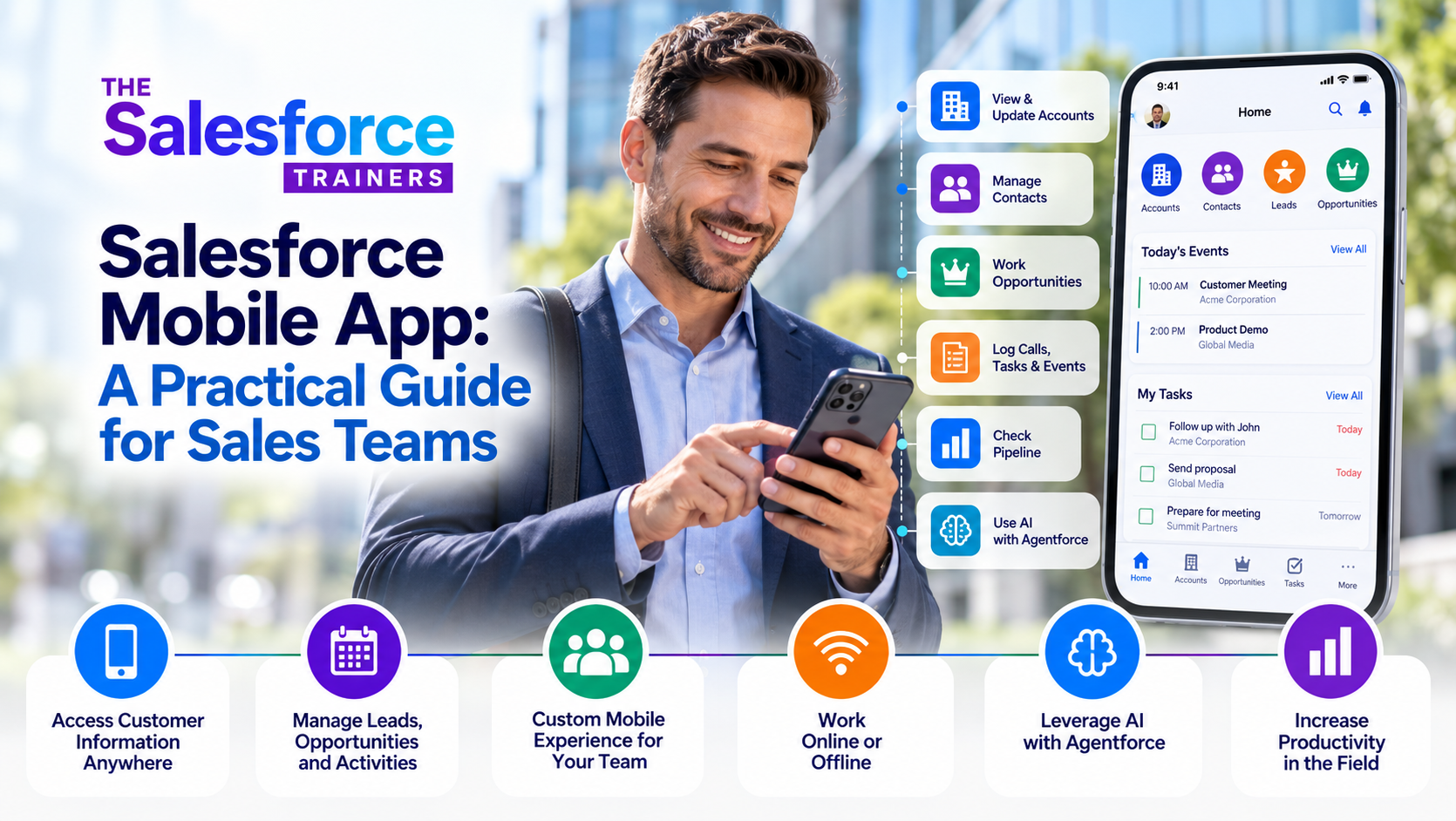
The technology has changed considerably since the early days of Salesforce1. Today's Salesforce mobile experience gives salespeople access to customer information, accounts, contacts, leads, opportunities, activities and other CRM functionality from iOS and Android devices. Salesforce also supports mobile-specific customization and, depending on your configuration, AI capabilities and offline work. Salesforce
The bigger question isn't whether Salesforce works on a phone or tablet.
The question is whether you've designed the mobile experience around the way your salespeople actually work.
That's an important distinction.
A salesperson sitting at a desk has time to navigate pages, review reports and enter information. A salesperson walking into a customer meeting, leaving an appointment or sitting in an airport has a very different set of priorities.
If your mobile Salesforce experience treats those two situations exactly the same, you're probably making things harder than they need to be.
What Is the Salesforce Mobile App?
The Salesforce mobile app is the mobile version of your Salesforce environment for iOS and Android. It gives salespeople access to Salesforce information and functionality while they're away from their computers. Salesforce says the mobile app is included with Salesforce orgs and incorporates many of the customizations made to the organization's Salesforce environment.
For a sales team, that can mean having immediate access to:
- Accounts and contacts
- Leads
- Opportunities
- Activities and tasks
- Customer information
- Notes and other relevant records
- Reports and dashboards that make sense on mobile
- Actions configured specifically for the sales team
That last point is particularly important.
Mobile Salesforce should not simply be a smaller version of desktop Salesforce.
It should be an intentional sales tool.
What Can Salespeople Actually Do With Salesforce Mobile?
The answer depends on how your Salesforce environment is configured.
A salesperson might use the mobile app to review an account before a meeting, update an opportunity after a customer conversation, add a task for follow-up, check recent activity or capture information while it's still fresh.
That's where mobile CRM can become genuinely useful.
Imagine a salesperson finishes a customer meeting and immediately updates the opportunity while the conversation is still fresh.
That's very different from waiting until Friday afternoon, opening a laptop and trying to remember what happened during five different meetings.
The closer Salesforce is to the actual moment of selling, the more useful the information becomes.
And that's one of the biggest advantages of mobile CRM: it can move Salesforce from an administrative system to part of the sales workflow.
Salesforce Mobile Isn't Just Salesforce Desktop on a Smaller Screen
This is one of the most important things to understand when designing a Salesforce mobile experience.
Salesforce itself notes that some desktop functionality isn't available on mobile or behaves differently. Not every object and field in your Salesforce org is automatically exposed through the mobile experience, and administrators control what users see through configuration such as page layouts and Lightning App Builder. Salesforce
That's not necessarily a limitation.
It's an opportunity.
Your salespeople probably don't need every Salesforce field, report, button and administrative function while they're standing in a customer's lobby.
They need the things that help them sell.
The best mobile experience is often a deliberately simplified experience.
For example, a field salesperson might need quick access to:
- Today's appointments
- Accounts they're visiting
- Contact information
- Open opportunities
- Recent activity
- A few critical actions
- The information required to move the next step forward
They probably don't need to scroll through 40 fields before they can update an opportunity.
Customize Salesforce Mobile for the Way Your Team Sells
Salesforce provides administrators with tools to customize the mobile experience, including navigation, quick actions and compact layouts. Trailhead
But customization shouldn't begin with the question, "What can we put on the mobile app?"
Start with a better question:
What does a salesperson actually need to do between customer meetings?
The answer should drive the design.
If your reps frequently need to create follow-up tasks, make that easy.
If they need to update an opportunity immediately after a meeting, make the important fields accessible.
If they spend most of their time working with Accounts and Opportunities, those objects should be prominent.
If something isn't useful to the salesperson in the field, consider whether it needs to be there at all.
This is where Salesforce platform optimization becomes particularly important. Salesforce Platform Optimization
The goal isn't to make Salesforce more sophisticated.
The goal is to make it easier for people to do their jobs.
Use Salesforce Mobile in the Field
Mobile Salesforce becomes especially valuable when your sales team spends significant time away from a desk.
Consider a salesperson preparing for a customer visit.
Before walking through the customer's front door, they can review the account, look at open opportunities, check recent activities and refresh themselves on previous conversations.
After the meeting, they can record what happened while the information is still fresh.
The next action can be created immediately.
The opportunity can be updated before another meeting begins.
That's a much better workflow than relying on memory and hoping the salesperson updates Salesforce later.
And for organizations with salespeople working in environments where connectivity isn't always reliable, Salesforce also supports offline access and offline editing for supported mobile configurations. Salesforce
The important word there is supported.
Offline functionality has its own configuration requirements and limitations, so it should be evaluated against the actual needs of your team rather than assumed to work exactly like the online experience.
Don't Try to Put Everything on Mobile
One of the easiest mistakes to make is assuming that because Salesforce can put something on mobile, it should.
It shouldn't.
Some activities are simply better suited to a desktop.
Complex reporting. Administrative configuration. Large-scale data analysis. Certain setup functions. Detailed work that requires a large screen.
Salesforce explicitly documents differences between the mobile and desktop experiences, including features that aren't supported or behave differently on mobile. Salesforce
That's okay.
Your goal isn't to make every Salesforce feature available everywhere.
Your goal is to make the right Salesforce capabilities available at the right time.
Think of desktop and mobile as two different work environments serving the same sales process.
Salesforce Mobile and Adoption
This is where mobile strategy becomes much more than a technology discussion.
If your salespeople don't understand why they should use Salesforce on their phones, simply giving them the app isn't going to change their behavior.
You have to connect the technology to the sales process.
For example:
- What information should be captured after every customer meeting?
- When should an opportunity be updated?
- What activities should be recorded?
- What does a manager expect to see before a pipeline review?
- Which actions should happen immediately versus later?
- What information does a salesperson need before a customer conversation?
Those decisions should come first.
Then Salesforce should be configured to support them.
That's consistent with the approach we use in our Sales Process Consulting work: define how the organization should sell and manage opportunities first, then align Salesforce to reinforce that process. Sales Process Consulting
Process first. Platform second. People throughout.
That's the basic idea behind our P3 Framework. P3 Framework
Salesforce Mobile and AI
There's another reason Salesforce mobile is becoming more interesting for sales teams: AI.
Salesforce's current mobile experience includes AI capabilities such as Agentforce and other generative AI functionality, depending on the organization's configuration and licensing. Salesforce describes mobile use cases that can include summarizing records, drafting emails, finding related information and executing configured actions. Salesforce
But I wouldn't make AI the starting point for a mobile strategy.
If the underlying sales process is inconsistent, the Salesforce configuration is overly complicated and the data is unreliable, adding AI doesn't solve the fundamental problem.
It can actually make the problem more complicated.
Good mobile Salesforce starts with good sales process and good data. AI comes after that.
How to Get Your Sales Team to Actually Use Salesforce Mobile
If you're rolling out or improving Salesforce mobile, don't treat it as an app deployment.
Treat it as a change in how your sales team works.
Start with a small number of high-value sales activities.
Identify the things salespeople should be doing before, during and after customer interactions. Then configure the mobile experience to make those behaviors easy.
Train people on those specific workflows rather than giving them a tour of every Salesforce feature.
And most importantly, have sales managers reinforce the behavior.
If managers ask about pipeline, opportunities, next steps and customer activity in Salesforce, salespeople have a reason to keep the information current.
If managers continue asking for separate spreadsheets and offline reports, the mobile app isn't going to solve your adoption problem.
That's why Salesforce adoption is ultimately a management issue as much as a technology issue.
We've written more about this in Why Salesforce Adoption Fails and How to Fix It, where we look at the broader relationship between process, platform and people. Why Salesforce Adoption Fails and How to Fix It
And if the problem is that your team knows Salesforce exists but isn't using it effectively, custom Salesforce training should be built around the way your organization actually sells—not simply around Salesforce features. Custom Salesforce Training
Is Salesforce Mobile Right for Your Sales Team?
For most sales organizations, the more useful question isn't whether Salesforce mobile is worth having.
It's already a capable part of the Salesforce platform.
The better question is:
What should our salespeople actually be able to accomplish with Salesforce when they're away from their desks?
Start there.
Define the sales workflows that matter. Identify the information salespeople need in the field. Simplify the mobile experience around those needs. Train people on the workflows. Then have managers reinforce them through the normal sales management rhythm.
That's how mobile Salesforce becomes more than another app on someone's phone.
It becomes part of the way your sales organization sells.
And that's ultimately what we're trying to accomplish with Salesforce in the first place.
Don't give your sales team more Salesforce. Give them a better way to use the Salesforce they already have.