Salesforce Leads, Accounts, Contacts, and Opportunities
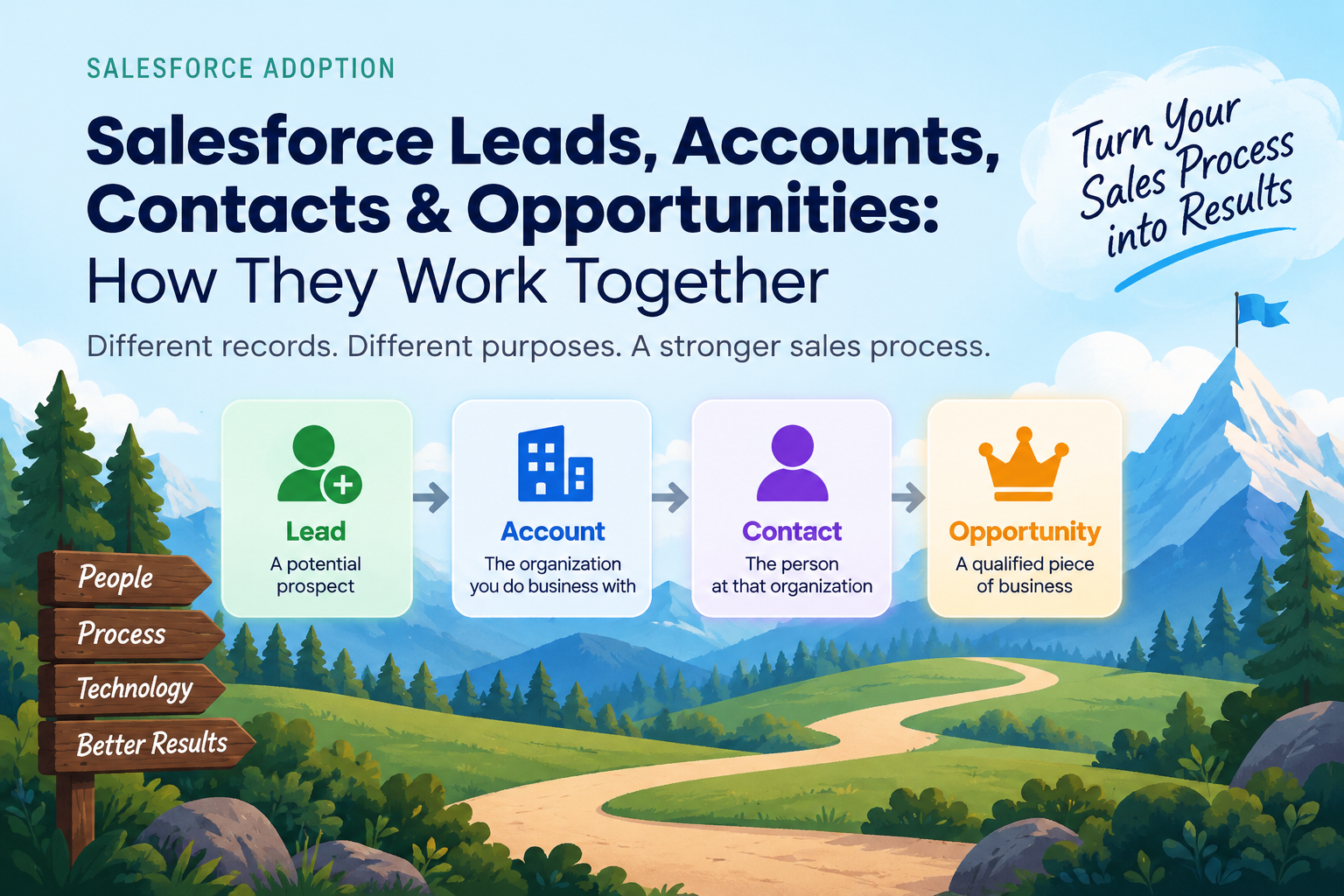
If you've spent any time in Salesforce, you've probably encountered four records that seem to show up everywhere: Leads, Accounts, Contacts and Opportunities.
And if you're new to Salesforce, it isn't always obvious how they relate to one another.
What's a Lead? When should a Lead become an Account or Contact? What's the difference between a Contact and an Opportunity? And perhaps most importantly, when should a salesperson actually create an Opportunity?
Let's break it down.
The four records are relatively simple. The challenge is understanding how they fit together—and how your sales process should determine when and why you use each one.
Start with the big picture
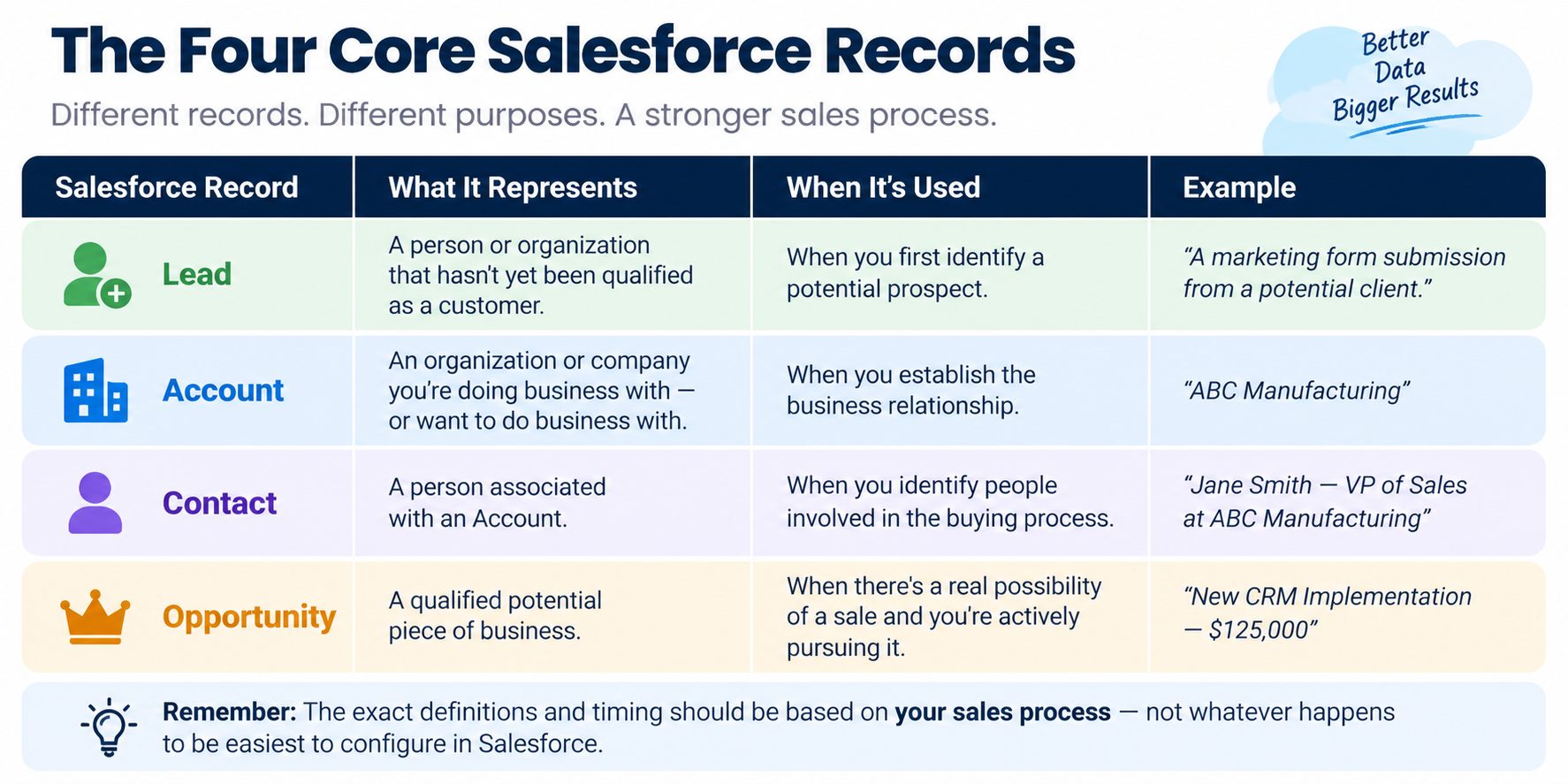 At a very basic level, you can think about Salesforce this way:
Lead → Account + Contact → Opportunity
But don't take that as a rigid sequence that every sales organization has to follow.
Salesforce gives you the technology to manage these records. Your organization has to decide how they should be used.
That's an important distinction.
Salesforce doesn't know when a prospect becomes qualified in your sales process. It doesn't know what information your salespeople need before an Opportunity should be created. And it doesn't know what your managers need to see before they consider a deal real.
Those are sales-process decisions.
Let's look at each record.
What is a Salesforce Lead?
A Lead is generally a person or organization that your company has identified as a potential prospect but that hasn't yet been qualified and established as part of your customer relationship.
Think of a Lead as:
Someone who might become a customer.
Maybe they filled out a form on your website. Maybe someone met them at a conference. Maybe they were identified through prospecting. Maybe they were referred by an existing customer.
At this point, you don't necessarily know enough about them to consider them a qualified sales opportunity.
That's where Leads can be useful.
But here's an important question for every sales organization:
What exactly qualifies someone to become a Lead in your Salesforce system?
And more importantly:
What does your organization consider a qualified Lead?
Those definitions should come from your sales process—not from whatever happens to be easiest to configure in Salesforce.
What happens when a Lead is qualified?
This is where Salesforce's data model starts to make more sense.
When a Lead is qualified, it can be converted into an Account and Contact, and an Opportunity can also be created as part of that conversion when appropriate.
The Account represents the organization.
The Contact represents the person.
And the Opportunity represents the potential business.
That distinction is important because the person is not the deal.
You can have one Account with several Contacts and multiple Opportunities. You can have an Account with Contacts but no active Opportunity. And you can have an Account that has been a customer for years while having no current sales opportunity at all.
Once you understand that, the Salesforce data model becomes much easier to understand.
What is a Salesforce Account?
An Account represents the organization or company you're doing business with—or potentially want to do business with.
For example:
ABC Manufacturing
might be an Account.
That Account could have:
- Five Contacts
- Three current Opportunities
- Two closed Opportunities
- Several completed activities
- An ongoing customer relationship
The Account becomes the organizational home for that relationship.
This is particularly important in B2B sales because you're rarely selling to just one person. You're selling to an organization, and there may be multiple people involved in the buying process.
Which brings us to Contacts.
What is a Salesforce Contact?
A Contact is a person associated with an Account.
For example:
Jane Smith — VP of Sales — ABC Manufacturing
Jane is a Contact. ABC Manufacturing is the Account.
You might also have:
Bob Jones — CFO — ABC Manufacturing
and
Susan Lee — Sales Operations Director — ABC Manufacturing
All three are Contacts associated with the same Account.
But here's another important distinction:
A Contact is not an Opportunity.
Jane might be involved in one deal today, another deal six months from now, and perhaps no active deal at all next year.
The relationship between people and Opportunities is handled separately in Salesforce, typically through Contact Roles. This allows you to identify who is involved in a particular deal and what role they play in the buying process.
That's much more useful than simply treating every person in your database as a potential opportunity.
What is a Salesforce Opportunity?
Now we get to the record that matters most to sales management:
The Opportunity.
An Opportunity represents a potential piece of business.
But here's where I think many organizations get Salesforce wrong.
They treat an Opportunity as:
"Someone might buy something."
That's not good enough.
An Opportunity should represent a qualified piece of potential business that your sales organization has decided is real enough to manage through the sales process.
That means your organization needs to define what "qualified" actually means.
For example, before creating an Opportunity, do you know:
What business problem are they trying to solve? Who is involved in the decision? When do they expect to make a decision? What is the potential value? What alternatives or competitors are they considering? Why would they choose you?
Those questions aren't Salesforce questions.
They're sales-process questions.
Salesforce simply gives you a place to capture the answers.
When should a salesperson create an Opportunity?
This is one of the most important Salesforce decisions your organization can make.
If you tell your salespeople:
"Create an Opportunity whenever you think there's a possibility of a sale."
you're going to end up with a pipeline full of possibilities.
And that's not particularly useful.
Instead, establish a clear Opportunity creation threshold.
For example, perhaps an Opportunity cannot be created until the salesperson understands the customer's business problem, has identified a potential solution, understands the expected timing, has established an approximate value, and has identified the key decision-makers.
Your criteria will be different depending on your business.
The point is that there should be criteria.
That's what makes your Salesforce pipeline meaningful.
Your Salesforce stages should mean something
The same principle applies after an Opportunity has been created.
An Opportunity shouldn't move from stage to stage simply because the salesperson thinks it should.
Each stage should represent a meaningful point in your sales process.
For example, if you have stages called:
Discovery → Proposal → Negotiation → Closed
what exactly has to be true before an Opportunity moves from Discovery to Proposal?
That's where stage gates become important.
A stage should have defined criteria. The salesperson should know what has to happen. The manager should know what to look for. And Salesforce should capture the information necessary to determine whether the Opportunity actually belongs in that stage.
Otherwise, your stages are really just labels.
Salesforce doesn't define your sales process. You do.
This is probably the most important point in this entire article.
Salesforce gives you Leads, Accounts, Contacts and Opportunities.
It gives you fields, stages, reports, dashboards, workflows and automation.
But Salesforce doesn't define how your company sells.
Your organization has to decide:
- What constitutes a Lead
- What makes a Lead qualified
- When a Lead should be converted
- When an Opportunity should be created
- What information is required at each stage
- What your sales stages actually mean
- What managers should review
- What information is required to forecast accurately
Once you've made those decisions, Salesforce becomes much more powerful because the platform is supporting a defined sales process.
Without those decisions, Salesforce simply becomes a database where every salesperson can interpret things differently.
And this is where Salesforce data quality comes from
We often talk about Salesforce data quality as though it's primarily a technology problem.
It isn't.
If one salesperson creates an Opportunity as soon as someone expresses interest, while another waits until they've confirmed a budget, you'll have inconsistent pipeline data.
If one manager considers "Proposal" to mean a proposal has been delivered and another considers it to mean a proposal is being discussed, your stage reporting becomes unreliable.
If nobody has defined what information needs to be captured at each stage, you'll end up with incomplete records.
That's not necessarily a Salesforce configuration problem.
It's a sales-process problem.
And no amount of Salesforce automation can completely compensate for an undefined process.
Now add AI to the picture
This becomes even more important as AI starts working directly with Salesforce data.
Salesforce and other AI technologies can analyze opportunities, identify patterns, assess deal health, summarize accounts, prepare salespeople for meetings and help managers understand their pipeline.
That's incredibly powerful.
But here's the catch:
AI can only work with the sales system you've given it.
If your Opportunities are poorly defined, your stages don't mean anything, your data is incomplete and your sales process isn't consistent, AI doesn't magically fix those problems.
It can actually make them more visible.
The old expression "garbage in, garbage out" has never been more relevant.
The better your sales process and Salesforce data, the more useful AI can become.
The Salesforce data model is simple. Your sales process is the hard part.
So let's bring it all together.
Lead: A prospect who hasn't yet been qualified.
Account: The organization you're doing business with.
Contact: The person associated with that organization.
Opportunity: A qualified potential piece of business.
That's the basic Salesforce architecture.
But the real value comes from deciding how those records should be used within your sales process.
When should a Lead be converted? When should an Opportunity be created? What information should be required? What does each stage mean? What should a manager be looking for?
Those are the decisions that turn Salesforce from a database into a sales management system.
And that's ultimately what Salesforce should be doing for your organization.
It shouldn't simply tell you what happened.
It should help your salespeople know what to do next, give your managers the information they need to coach and manage, and give your leadership team confidence that the pipeline they're looking at actually represents the business.
That's where Salesforce optimization comes in: configuring the platform to reinforce the way your organization actually sells.
Salesforce is the platform. Your sales process is the system. The goal is to make the two work together.
And as AI becomes increasingly embedded in Salesforce, getting that foundation right becomes even more important.